
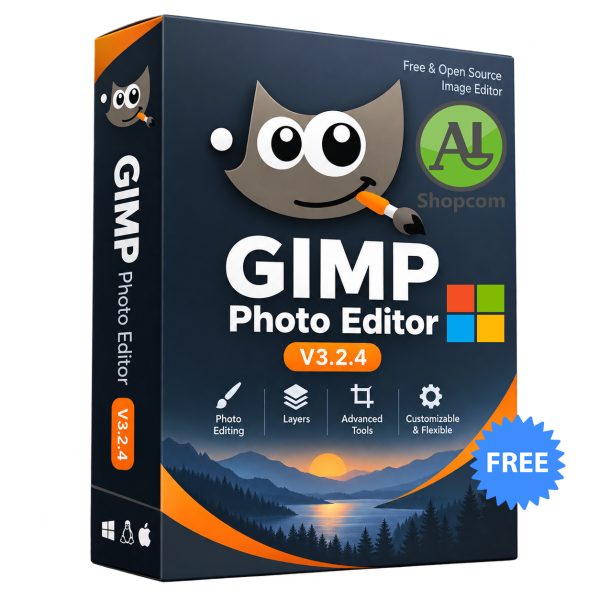
GIMP Photo Editor V3.2.4
Free
Added on September 6, 2026 - 10:02:03
Download link :
https://www.shopcom.tn/product/gimp-photo-editor-v3-2-4/download
Payment :
https://www.shopcom.tn/payments
GIMP Photo Editor V3.2.4: The Free & Professional Image Editor
GIMP (GNU Image Manipulation Program) V3.2.4 is the latest stable update to the premier free and open-source image editor, serving as a powerful alternative to commercial software like Adobe Photoshop. This release focuses on stability, bug fixes, and UX improvements, building upon the major features introduced in the GIMP 3.2 series.
Professional-Grade Tools at No Cost
GIMP is a cross-platform application available for Windows, macOS, and Linux, offering a comprehensive toolset for photographers, designers, and illustrators. Its capabilities include high-quality photo retouching, image composition, graphic design, and scripted image manipulation. The application supports a wide range of file formats, including PSD, and its functionality can be extensively extended through third-party plugins and scripts, making it one of the most flexible tools available.
Key Features of GIMP 3.2
Version 3.2 introduced significant advances in non-destructive editing, a cornerstone of modern image editing.
-
Non-Destructive Layers: This release introduces new layer types that protect your original image. Vector Layers allow you to create and edit shapes with adjustable fills and strokes, which remain editable rather than being immediately rasterized. Link Layers let you incorporate external images into your composition; you can scale or transform them without quality loss, and they automatically update if the source file changes.
-
Enhanced Text and Painting Tools: The on-canvas text editor now offers a more integrated workflow, supporting standard shortcuts like Ctrl+B for bold and allowing you to move text directly on the canvas. The MyPaint brush tool has been upgraded with 20 new brushes and improved responsiveness to canvas zoom and tablet pressure. A new Overwrite paint mode is perfect for pixel art, as it replaces pixels directly without blending, eliminating unwanted transparency artifacts.
-
Improved UX and Performance: The interface continues to be refined for a more modern feel. A new system color scheme matches your OS theme, and brush thumbnails now adapt to dark themes for better visibility. Significant performance improvements have been made, especially in selection tools which are now much faster on large images.
-
Extended File Format Support: GIMP 3.2 expands its already impressive format support. For the first time, you can export Vector Layers and text as true vectors in SVG files. Other new export options include DDS BC7 and JPEG 2000. Photoshop compatibility has also been enhanced with better import of layer styles like drop shadows.
What’s New in V3.2.4
This update is focused on polishing the 3.2 series. It includes numerous bug fixes to enhance stability and reliability, particularly when working with XCF project files and text layers. A notable addition for Windows users is a new Windows Image Acquisition (WIA) scanner plug-in, which replaces the older 32-bit TWAIN driver support.
GIMP V3.2.4 represents the culmination of years of development from a dedicated community, delivering a sophisticated, free, and open-source imaging solution that rivals industry standards.
Related products
-

VLC Media Player 3.0.23
FreeAdded on May 11, 2026 - 12:10:23
35 -

Quran PDF Arabic
FreeAdded on August 20, 2026 - 08:07:35
181 -

Google Chrome
FreeAdded on May 11, 2026 - 12:05:13
34 -

Islamic dua – دعاء إسلامي
FreeAdded on October 6, 2026 - 15:21:40
102
Reviews
There are no reviews yet.