
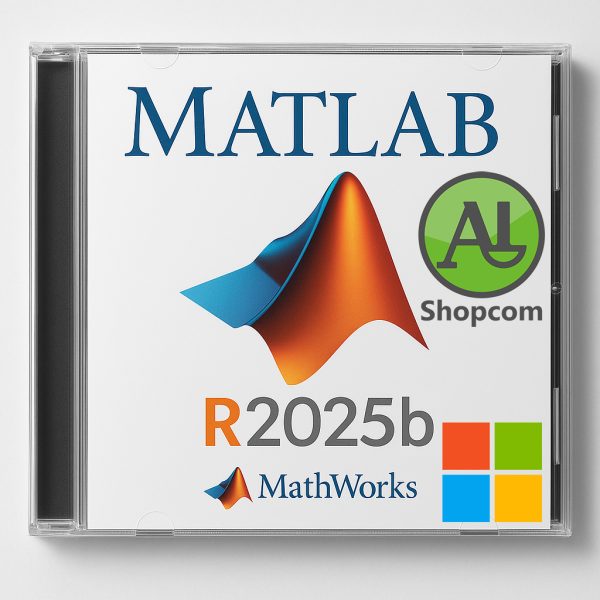
MATLAB R2025b
6232 DT
Download link :
https://www.shopcom.tn/product/matlab-r2025b/download
MathWorks MATLAB R2025b – Overview
MATLAB R2025b is a major release of the platform used by millions of engineers and scientists for technical computing, data analysis, algorithm development, and model-based design. As a “b” release (fall), it typically focuses on new features, enhancements, and performance improvements across the entire product family, including MATLAB, Simulink, and dozens of specialized toolboxes.
While the exact features of R2025b will be announced upon its release, this description is based on the established trajectory and patterns of MathWorks releases.
Core MATLAB Platform (Expected Enhancements)
The core MATLAB environment consistently receives updates to improve usability, performance, and integration.
-
Language and Programming
-
New Functions & Syntax: Introduction of new convenience functions for common tasks (e.g., data reshaping, string manipulation, file I/O).
-
Performance Boosts: Continued improvements to the execution engine (JIT acceleration) for faster loops, function calls, and matrix operations.
-
Error Handling: Enhanced error messages to be more actionable and easier to understand.
-
-
Graphics and Data Visualization
-
New Chart Types: Potential for new interactive plot types or significant upgrades to existing charts like
geobubble,heatmap, orwordcloud. -
Customization: More intuitive properties and functions for customizing chart appearance (colors, labels, interactivity).
-
Live Editor: Enhancements to the Live Editor, making it even more powerful for creating interactive scripts that combine code, output, and formatted text.
-
-
App Building
-
App Designer: New UI components, enhanced layout manager tools, and improved integration with MATLAB classes for building more complex and professional applications.
-
-
Interoperability
-
Python Integration: Smoother integration with Python, potentially supporting newer Python versions and improving the data exchange process.
-
C/C++ Code Generation: Advancements in generating more efficient and readable C/C++ code directly from MATLAB algorithms.
-
Simulink & Model-Based Design (Expected Enhancements)
Simulink, the block diagram environment, is a major focus of “b” releases.
-
Modeling Environment
-
UI/UX Improvements: A more streamlined and intuitive user interface for navigating and editing large, complex models.
-
Block Library Updates: New blocks for specialized tasks and enhancements to existing block libraries (e.g., Aerospace, Automotive).
-
Debugging: Improved visualization and debugging tools for signal data and simulation behavior.
-
-
Simulation and Analysis
-
Faster Simulation: Performance improvements in the simulation engine, especially for models using variable-step solvers and physical modeling.
-
Requirements Tracing: Enhanced tools for linking model elements to external requirements (e.g., with IBM DOORS or Simulink Requirements).
-
-
Code Generation (Embedded Coder)
-
Efficiency: Generation of even more efficient, compact, and fast code for production deployment on embedded processors.
-
Certification: Updates to support for safety-critical standards like DO-178C, ISO 26262, and IEC 61508.
-
Key Add-On Toolboxes (Expected Updates)
Virtually every toolbox receives updates. Key areas often include:
-
AI, Data Science, and Statistics:
-
Deep Learning Toolbox: Support for new neural network architectures, layers, and pre-trained models from frameworks like PyTorch and TensorFlow.
-
Statistics and Machine Learning Toolbox: New algorithms for feature selection, model interpretability, and automated machine learning (AutoML).
-
-
Signal Processing and Communications:
-
DSP System Toolbox: New filters, spectral analysis techniques, and hardware support for FPGAs and ASICs.
-
5G Toolbox: Updates to align with the latest 5G NR standards and protocols.
-
-
Control Systems and Robotics:
-
Robotics System Toolbox: Enhanced support for ROS 2 and new path-planning algorithms.
-
Control System Toolbox: New tools for PID tuning and linear/non-linear control design.
-
-
Physical Modeling:
-
Simscape: New domain libraries (electrical, mechanical, hydraulic, etc.) and components for more accurate physical system simulation.
-
System Requirements (Projected for R2025b)
-
Operating System: 64-bit Windows 11, Windows 10, macOS (latest version), and Linux (specific distributions like Red Hat Enterprise Linux and Ubuntu).
-
Processor: Any modern x86-64 CPU (Intel or AMD). No 32-bit support.
-
RAM: Minimum 4 GB (8 GB or more strongly recommended).
-
Disk Space: 5-10 GB for MATLAB only, but 30-50 GB for a typical installation with common toolboxes.
-
Graphics: A hardware-accelerated OpenGL graphics card.
Produits similaires
-
MATLAB R2023b
6232 DT -
AutoCAD 2026.1.1
14288 DT -

SCIA Engineer 2025
24920 DT -
CATIA P3 V5-6R2022 SP6
51576 DT
Avis
Il n’y a pas encore d’avis.