
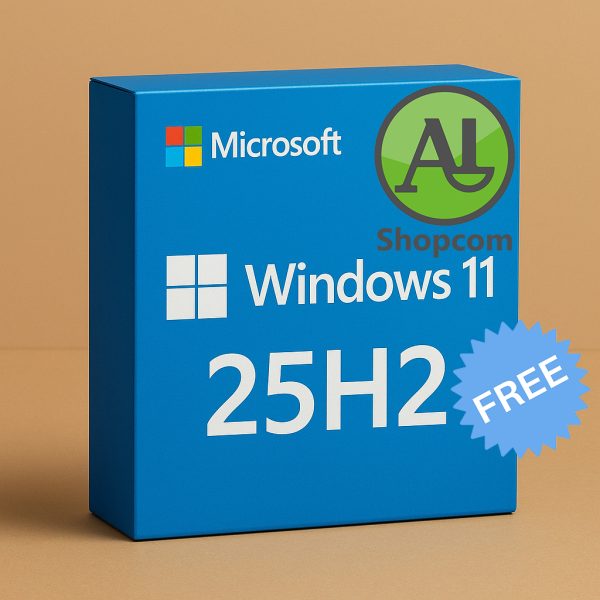
Windows 11 25H2
Download link :
https://www.shopcom.tn/product/windows-11-25h2/download
Executive Summary
Windows 11 version 25H2 is the latest major feature update expected for the Windows 11 operating system, anticipated for release in the second half of 2025 (hence the “H2” in its name). As a successor to the 24H2 update, it builds upon the foundation of Windows 11 with a focus on enhancing AI (Copilot+ PC features), refining the user interface, improving performance, and deepening ecosystem integration.
It’s important to note that as of late 2024/early 2025, 25H2 is still in the planning and early development stages. The following description is based on Microsoft’s current trajectory, official announcements, and trends from recent updates.
Key Features and Expected Enhancements
1. Advanced AI & Copilot+ PC Evolution
This will be the central theme of 25H2. While the 24H2 update introduced many core AI features for Copilot+ PCs, 25H2 will expand and refine them.
-
Smarter, More Integrated Copilot: Expect Copilot to become more context-aware, able to understand what you’re doing in any application and offer proactive help. It will likely be deeply embedded into the Settings app and system utilities.
-
Expanded Recall & Generative AI: The “Recall” feature (a photographic memory for your PC) will see improvements in search, organization, and privacy controls. Generative AI for images, text, and code will become more powerful and accessible system-wide.
-
New AI-Powered Apps: Microsoft will likely introduce new applications or significantly update existing ones (like Paint, Photos, Clipchamp) with next-generation AI features that leverage the NPU (Neural Processing Unit) in Copilot+ PCs.
2. User Interface (UI) & User Experience (UX) Refinements
Microsoft continues to polish the Windows 11 look and feel.
-
Streamlined Settings App: The Settings app is expected to undergo further reorganization to make it more intuitive and reduce the need to open the legacy Control Panel.
-
Refined Animations and Transitions: Smoother, more consistent animations throughout the OS for a more premium feel.
-
Explorer & Taskbar Tweaks: Continuous small improvements to File Explorer (better sorting, new views) and the Taskbar (more customization options for the system tray and notification center).
3. Performance, Security & Under-the-Hood Improvements
-
Faster Updates and Installation: Building on the “hot patching” technology introduced in 24H2, 25H2 will aim to make monthly updates that don’t require a reboot even more common.
-
Efficiency Mode Enhancements: The feature that limits resource usage for background apps will become smarter, helping to further improve battery life and system responsiveness.
-
Enhanced Security: Continued advancements in security features like Smart App Control, Core Isolation, and Microsoft Defender, making the OS more resilient to new threats out-of-the-box.
-
Optimized for New Hardware: 25H2 will be optimized for the next generation of processors from Intel (Arrow Lake), AMD (Strix Point), and Qualcomm (Snapdragon X Elite/Plus successors), fully leveraging their performance and AI capabilities.
4. Gaming & Graphics
-
DirectX 12 Ultimate & Auto HDR: Continued support and optimization for the latest graphics technologies.
-
Windows Subsystem for Android (WSA) Updates: If WSA continues to be supported, it will receive updates for better performance and compatibility with Android apps.
-
Better Integration with Xbox Services: Tighter integration between the Xbox app, Game Pass, and the Windows operating system.
5. Ecosystem and App Development
-
WinUI 3 & Project Volta: Microsoft will continue to push developers to use modern WinUI 3 frameworks. Features like “Project Volta” (aimed at improving app energy efficiency) will be more prominent, encouraging developers to create power-efficient apps.
-
Smarter Widgets Board: The Widgets board may become more customizable and integrate with more third-party services, moving beyond the current MSN news feed focus.
System Requirements
The system requirements are not expected to change significantly from Windows 11 24H2. However, to experience the full suite of advanced AI features (Copilot+ PC), you will need:
-
A Copilot+ PC with a dedicated NPU (Neural Processing Unit) capable of 40+ TOPS (Trillion Operations Per Second).
-
At least 16GB of RAM.
-
256GB of storage.
For standard installation without the top-tier AI features, the existing Windows 11 requirements (TPM 2.0, 64-bit CPU, 4GB RAM, 64GB storage) will likely remain.
Release Date
The official release is expected in the latter half of 2025 (October-November timeframe), following Microsoft’s annual release cycle.
Summary
Windows 11 version 25H2 is not a revolutionary overhaul but an evolutionary step that solidifies Windows 11’s position as an AI-first operating system. It will take the groundbreaking AI features introduced in 2024 and make them more stable, powerful, and deeply integrated into the daily Windows experience. For users, this means a more intuitive, secure, and efficient operating system that anticipates their needs and empowers them with powerful AI tools.
Produits similaires
-
Ansys 2024 R2
1763717 DT -
CATIA P3 V5-6R2022 SP6
51576 DT -
Tekla Structures 2025 SP5
51154 DT -

Rhinoceros V8 SR27
3136 DT
Avis
Il n’y a pas encore d’avis.